Grain Studio · on the App Store for iPhone, iPad and Mac
Make digital photos look like film. Keep them HDR.
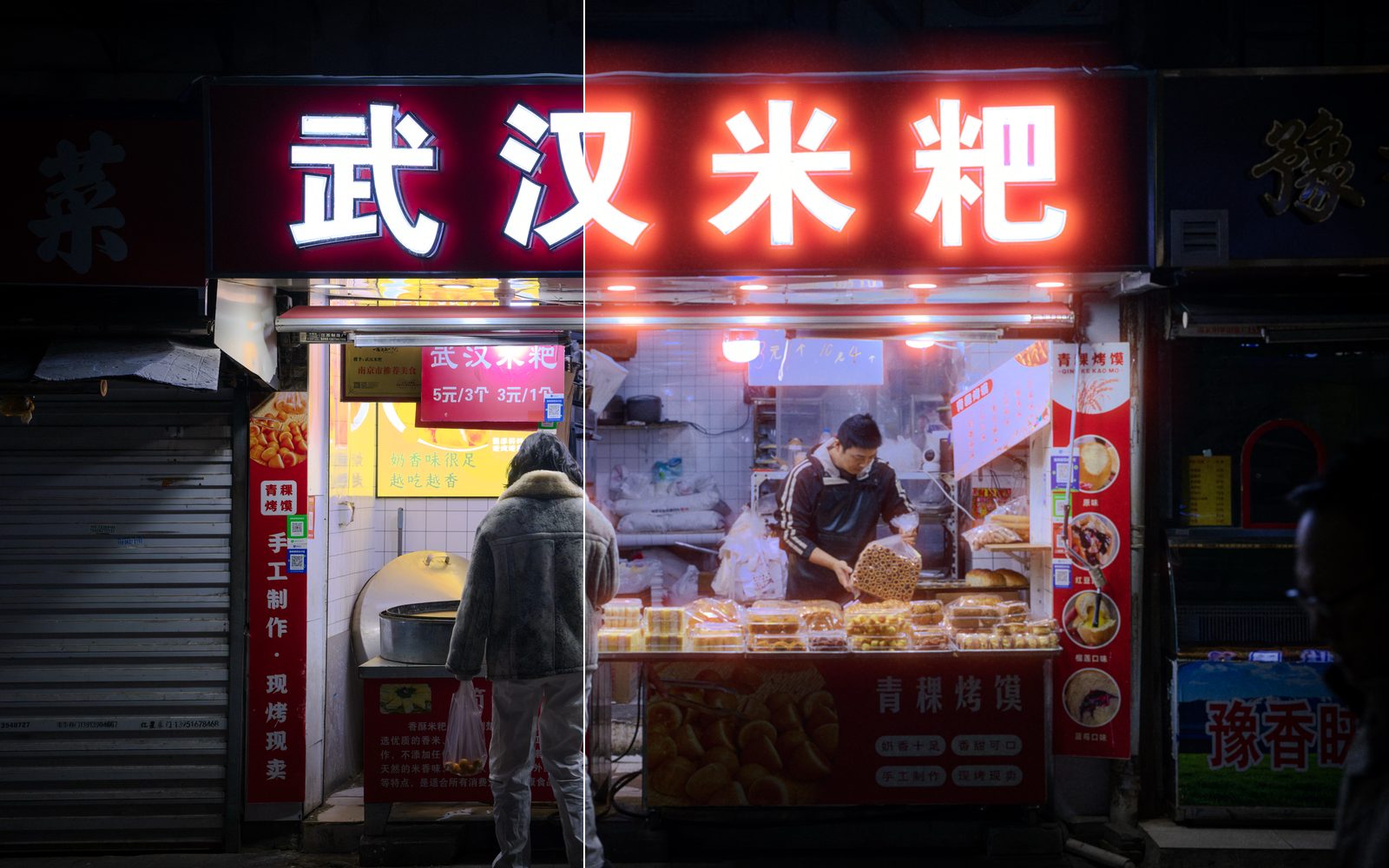
Grain Studio is an app for iPhone, iPad and Mac that gives the photos and video clips you have already shot a film look: grain measured from real 120 film negatives, halation (the warm glow film makes around bright lights), the softness of an emulsion, film borders and a date stamp. HDR photos come out HDR, and every photo also gets versions sized for Instagram and RedNote.
It is made by a photographer who shoots both film and digital, for his own work first.
- Devices
- iPhone and iPad (iOS 18 or later), Mac (macOS 15 or later). One purchase covers all three.
- Price
- Free to download. Your first develop of 6 photos and 1 clip is free, then a 7-day free trial, then a one-time unlock (US$29.99 in the US; local prices vary). No subscription, no account.
- Looks
- Seven: Natural, Portrait, Pastel, Slide, Golden, Tungsten, Mono.
- Files in
- HEIC, AVIF, JPEG, PNG, 16-bit TIFF, camera RAW, and video clips — from Photos or Files.
- Files out
- HDR HEIC with a gain map (SDR stays SDR), Instagram 4:5 and RedNote 3:4 versions, HDR carousels, HDR (HLG) video with sound.
- Privacy
- Everything runs on your device. No upload, no account, no analytics.
How to add film grain to iPhone photos without losing HDR
Open the photos in Grain Studio, pick a look and tap Develop. The result is an HDR HEIC with a gain map, so the highlights stay bright in Apple Photos and in an Instagram feed post, with film grain and halation added.
- Choose photos from Photos or Files (Lightroom HDR exports, iPhone photos, RAW and TIFF all work).
- Tap a look; every look is shown on your own photo. Hold the photo to see the original.
- Tap Develop. The full-size file and the post versions go to Photos, in a Grain Studio album.
How to add halation — the glow around lights — to a photo
Every look adds halation: a soft red-orange bloom around street lights, neon, the sun and bright highlights, strongest where the light is and absent elsewhere, the way film scatters light back through its base. Since version 1.8, ordinary (SDR) photos get the glow too. Its strength and colour (natural, amber, magenta, violet or a restrained documentary glow) are in Adjust.
Film grain measured from real 120 negatives
The grain is measured from my own 120 film negatives; the 35 mm looks use the same emulsion at 35 mm’s magnification. Like real grain it is bigger in the shadows, finer in the highlights and gone in pure white, and it is rendered for the size of each file: real printable grain on the full-size master, and grain sized for the 1080-pixel Instagram post and the RedNote post rather than shrunk from the master.
Film borders and a date stamp
Add a 135 film strip with sprocket holes and frame numbers, a 120 medium-format border that follows your photo’s shape, or a clean black scan border — drawn in our own lettering, never a film maker’s name, and the photo stays HDR. An optional orange LED-style date stamp prints the day the photo or clip was taken.
Film grain on video clips
Clips get the same looks: new grain in every frame, the way film moves, a glow around every light, HDR in and HDR out (HLG) with the sound kept. Frame them for Reels at 9:16, or 4:5 or 1:1, in the same batch as your photos.
How to split a wide photo into a seamless Instagram carousel
Instagram crops a carousel to the shape of its first slide and shrinks photos bigger than it shows, which softens fine detail like grain. In Compose every slide has the same shape and the same pixel size, rendered from the original at the size the feed shows — 1080 × 1350 (4:5) or 1080 × 1440 (3:4, set in Settings › Posts) for Instagram, 1242 × 1656 (3:4) for RedNote — so there is nothing left to crop or shrink.
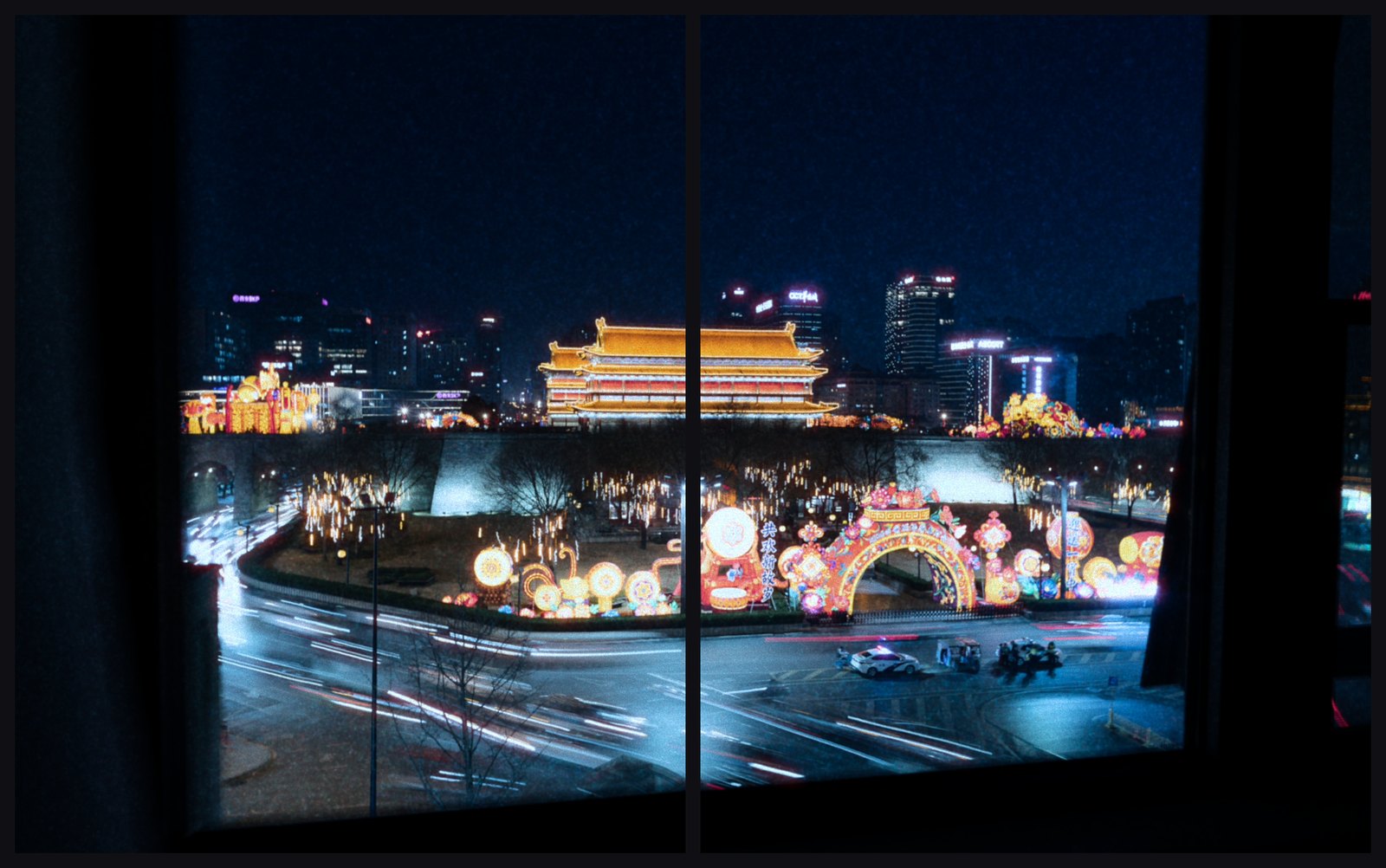
Choose a split layout and one wide photo is divided across two or three slides that line up when people swipe; it is rendered once and cut, so the grain runs straight across the seam. Pairs put two portrait photos side by side or stack two landscape frames (two 3:2 frames almost exactly fill a 3:4 slide); there are also grids and before & after, with the photo as shot next to the developed one. One look and one tone run across the whole set. HDR photos give HDR slides; SDR photos give SDR slides that look right anywhere.
Compose takes up to 20 photos. When the slides run past Instagram’s 20 or RedNote’s 18, they are split into posts, never in the middle of a split.
- Tap Compose and choose your photos.
- Pick a look, then a layout: a split for one wide photo, pairs, a grid, or before & after.
- Rearrange or edit any slide and add a caption if you like, then export. The slides go to Photos in order, numbered.
- Post them as they are: no filter or crop inside Instagram, because an edit there re-renders the slide and an HDR photo loses its HDR.
Share a look as a card
Save your own variation of a look and share it as a picture with a QR code. Scanning it adds the look in Grain Studio on another device — the settings travel inside the code, nothing goes through a server.
Questions
- Can I add film grain on iPhone without losing HDR?
- Yes. An HDR photo in gives an HDR HEIC with a gain map out, so the highlights stay bright in Apple Photos, and Instagram can show it in HDR as a feed photo. Carousel slides keep their gain map too, every part of a split included. An SDR photo stays SDR and looks right anywhere.
- Why does film grain turn to mush on Instagram, and how do I keep it?
- Instagram shrinks big photos to the size it shows and compresses them again, and grain added to a large photo is averaged away when it is shrunk. Grain Studio makes the Instagram version at 1080 pixels wide and draws the grain for that size, so there is nothing left to shrink. The method and 100 % crops are on The grain, measured.
- Is Grain Studio a one-time purchase or a subscription?
- A one-time purchase. It is free to download, and your first develop of 6 photos and 1 clip is free. After that there is a 7-day free trial and then a one-time unlock (US$29.99 in the US; local prices vary). No subscription. One purchase covers iPhone, iPad and Mac.
- Can I add film grain to iPhone videos for Reels and keep HDR?
- Yes. Every frame gets new grain and a glow around lights, and clips go in and out as HDR (HLG) with their sound, at 9:16, 4:5 or 1:1.
- Is it a camera app?
- No. It finishes photos and clips you have already taken, with any camera or phone.
- Does it work with Lightroom HDR exports and RAW files?
- Yes. It reads HDR AVIF and HEIC exports from Lightroom, iPhone HEIC photos, 16-bit TIFF scans, JPEG, PNG and camera RAW files.
- Is the grain real film grain?
- It is generated from measurements of real 120 film negatives — grain size, how it clumps, and how it changes from shadows to highlights — and rendered fresh for each file size, not a texture laid over the photo.
- Does it upload my photos?
- No. Everything is processed on the device, on its GPU. There is no account, no upload and no analytics.
- Which devices does it run on? Is there an Android version?
- iPhone and iPad with iOS or iPadOS 18 or later, and Mac with macOS 15 or later; there is no Android version. On the Mac a whole shoot can be developed in one batch.
- Why do my Instagram carousel photos look blurry or cropped?
- Usually two things. Instagram takes every slide’s shape from the first one, so slides of other shapes are cropped, and it shrinks photos bigger than it shows, which softens fine detail like grain. Export every slide at one shape and one pixel size, at the feed’s size (1080 wide), and don’t filter or crop inside Instagram. Compose in Grain Studio does this for the whole set and renders the grain at each slide’s own size.
- How do I post a panorama to Instagram without it shrinking?
- Split it. In Compose, choose a split layout: the panorama is divided across two or three slides (4:5 at 1080 × 1350, or 3:4 at 1080 × 1440) that line up when swiped, each made from the original instead of one thin strip.
- How do I make a photo dump with a film look?
- Choose up to 20 photos in Compose, one look for the whole set and a layout — one photo per slide, pairs or a grid — and export; the slides go to Photos in order. Put the strongest photo first: it sets the shape of the post and is the one everyone sees.
- Can I make RedNote (Xiaohongshu) carousels?
- Yes. Choose the RedNote size and every slide is made at 1242 × 1656 (3:4), the size RedNote keeps, with the same look across the set.
The grain, measured · Support · Privacy
For the frames you did not shoot on film. Grain Studio is not affiliated with any film manufacturer.